Curious about just how easy it is for participants to claim using Ayda?
In this article, we’ll walk you through the process participants follow to access their incentives. Ayda provides a simple, straightforward experience for participants, making it quick and easy to claim their rewards. Let's explore how it works!
Invitation email: Confirming attendance
If you’ve chosen to send participants an invitation to confirm attendance, they’ll receive an email that looks like this:
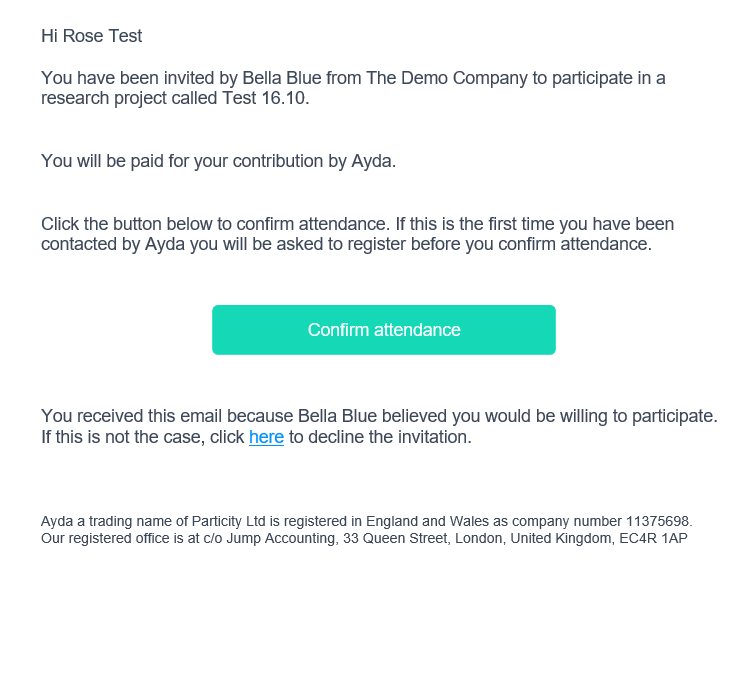
Confirming attendance
To confirm attendance, participants need to:
- Click the Confirm Attendance button: Clicking this button in the email directs participants to Ayda’s website.
- Register or log in: If participants already have an account, they can log in using their existing credentials. If not, they need to register.
- Use the same email: It's crucial to remind participants to use the same email address they provided to the researcher during the study setup. This ensures that their participation is correctly linked to the study.
- View the Participant dashboard: Once participants have logged in, they’ll see a dashboard that provides an overview of their incentives and projects. It will look something like this:
Claiming incentives email
After the researcher releases the incentive, participants will receive an email invitation that looks like this:
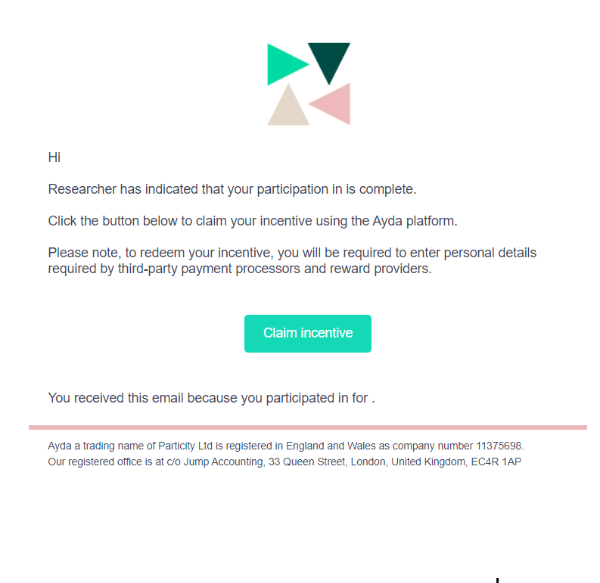
Claiming an incentive
To claim their incentive, participants need to:
- Click the Claim button: Clicking this button in the email directs participants to Ayda’s website.
- Register or log in: If participants already have an account, they can log in using their existing credentials. If not, they need to register.
- Use the same email: It's crucial to remind participants to use the same email address they provided to the researcher during the study setup. This ensures that their participation is correctly linked to the study.
- Claim the incentive: Once participants have logged in, they’ll see the options for claiming their incentive, based on what they chose during the project setup: Bank Account, PayPal, IBAN, or voucher.
Was this article helpful?
That’s Great!
Thank you for your feedback
Sorry! We couldn't be helpful
Thank you for your feedback
Feedback sent
We appreciate your effort and will try to fix the article