Ayda gives you the option to select a finance contact for your company, who will receive financial notifications and updates.
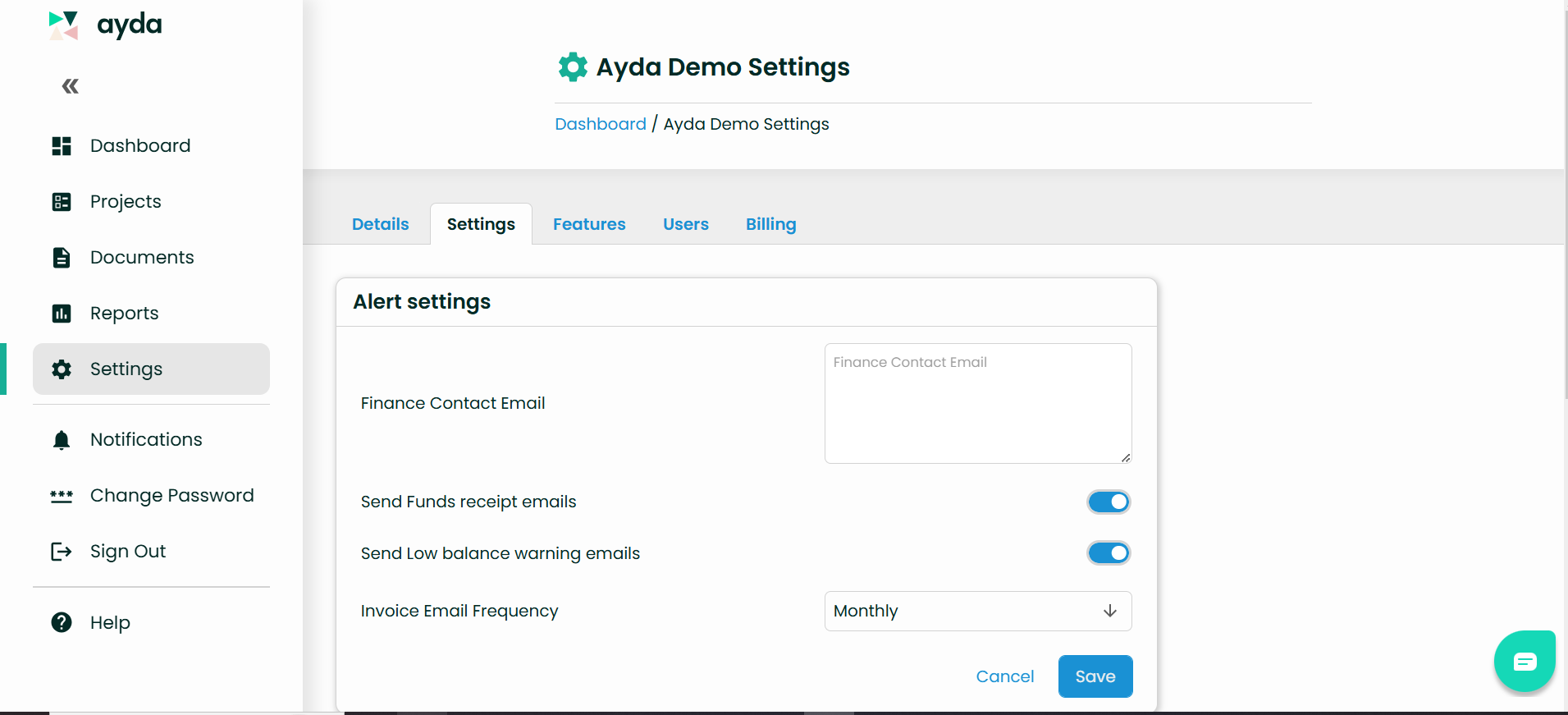
To add or update your finance contact, choose Settings on the left menu.
In the Alert Settings section, you can enter or update the email address of your finance contact, and specify the types of notifications they will receive.
Was this article helpful?
That’s Great!
Thank you for your feedback
Sorry! We couldn't be helpful
Thank you for your feedback
Feedback sent
We appreciate your effort and will try to fix the article