How Can I Make International Payments with Ayda?

Modified on Wed, 13 May at 12:13 PM

Ayda makes it easy to pay participants globally using three main currencies: USD, EUR, and GBP. With these currencies, you can send payments to participants in over 50 countries, and they can claim their incentives directly into their local bank accounts in their own currency.


Here’s how it works:

Currency and Payment Process

  • The payment amount is processed in the currency you select (USD, EUR, or GBP).
  • Participants will receive the full amount in their local currency—Ayda does not deduct any fees from the payment.
  • Please note that foreign exchange (FX) rates may be applied which could affect the final amount participants receive.

Using FX Payments

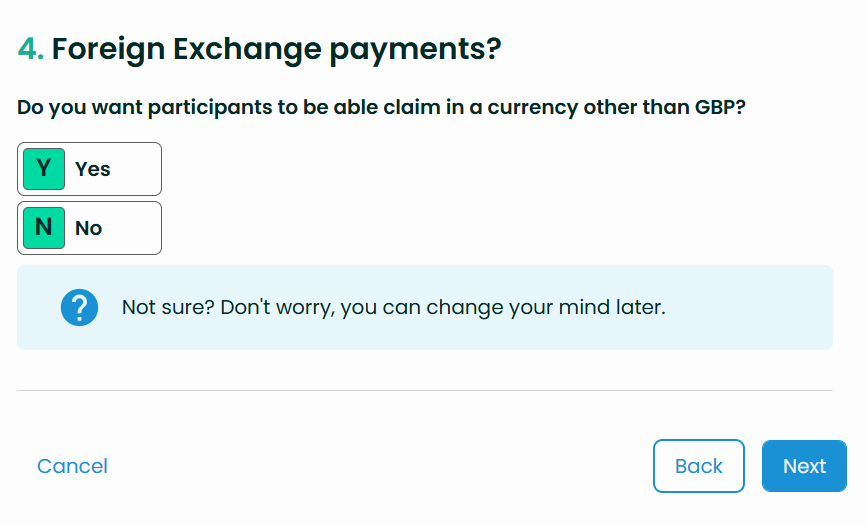
  • To enable payments for participants in countries not directly supported, select “Yes” for the FX option when setting up your project. 


How to Check Available Routes

  • To verify which countries are supported for payments, navigate to:
    Project > Routes > Filter by FX > True
  • This will display all available international payment routes.

Requesting New Routes

  • If you need to enable payment routes for additional countries, contact accounts@helloayda.com to discuss available options.

Was this article helpful?

That’s Great!

Thank you for your feedback

Sorry! We couldn't be helpful

Thank you for your feedback

Let us know how can we improve this article!

Select at least one of the reasons
CAPTCHA verification is required.

Feedback sent

We appreciate your effort and will try to fix the article